
What’s inside a Cine SSD DJI? Can you use a simple SSD instead?
Always wondering what’s inside a DJI cine SSD and if you could get you way around it?
Not sure you can do that!
After opening it, you will find a Samsung SSD, connected to a sub board with a proprietary board to restrain from using your own system
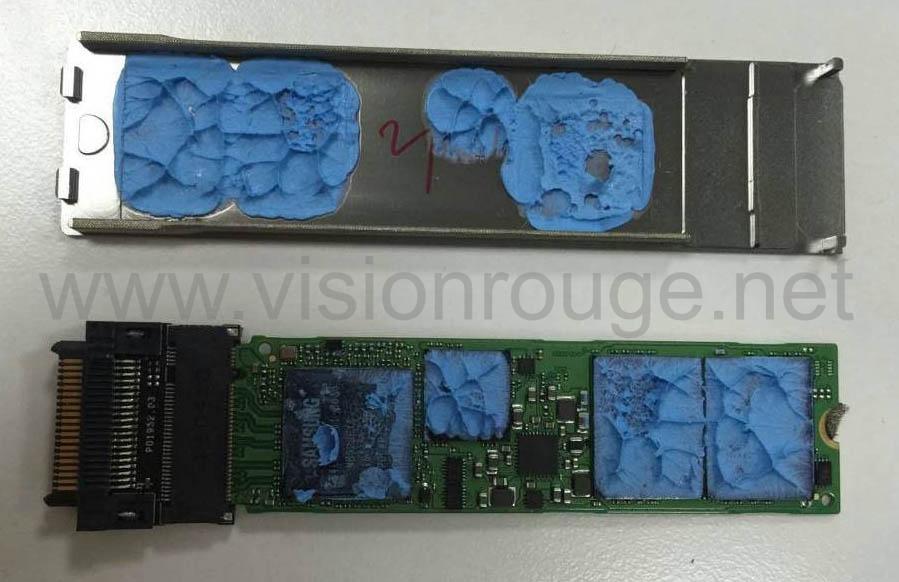
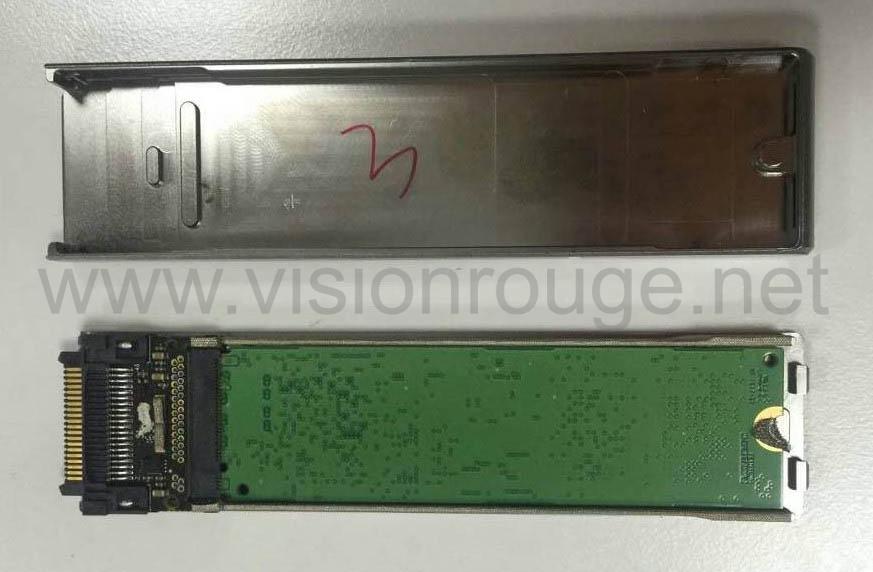
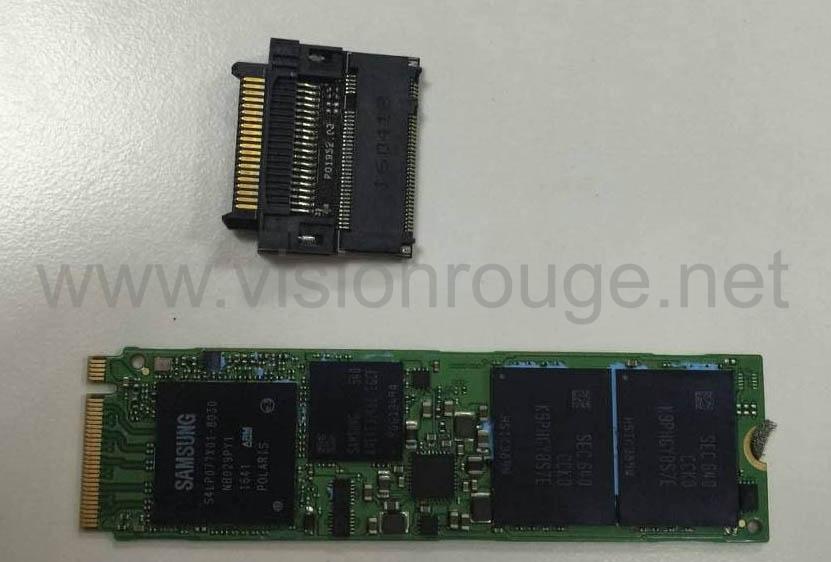
source .. FCC
For now, this is what you can find online. Here is real life experience.
If you take out only the SSD, you will find very close aspect of a Samsung EVO series SSD, it’s exact ref is MZ-VPV-1280 for the 128G version
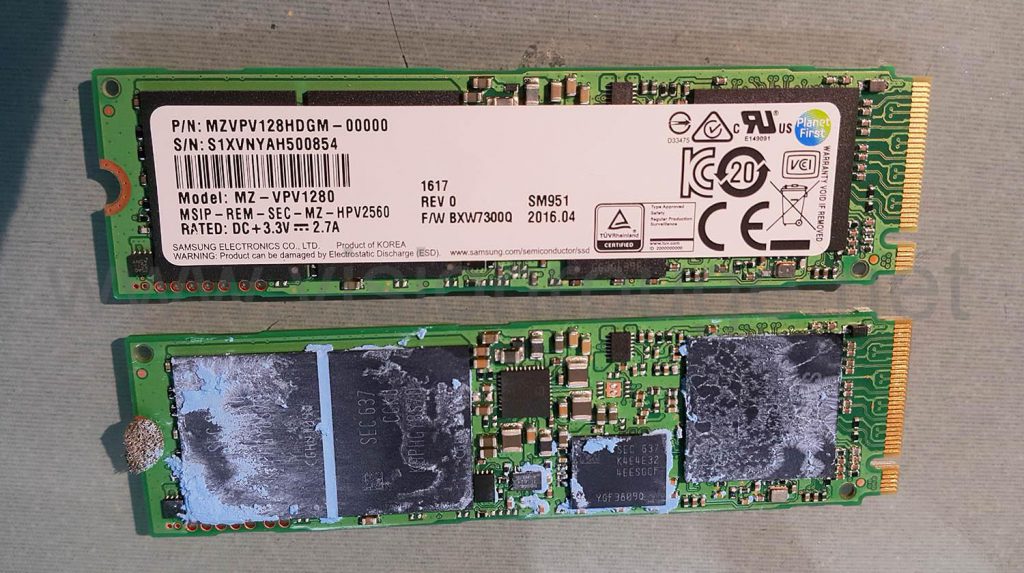
Here is my finding with the exact drive. as you can see, they both looks 100% identical.
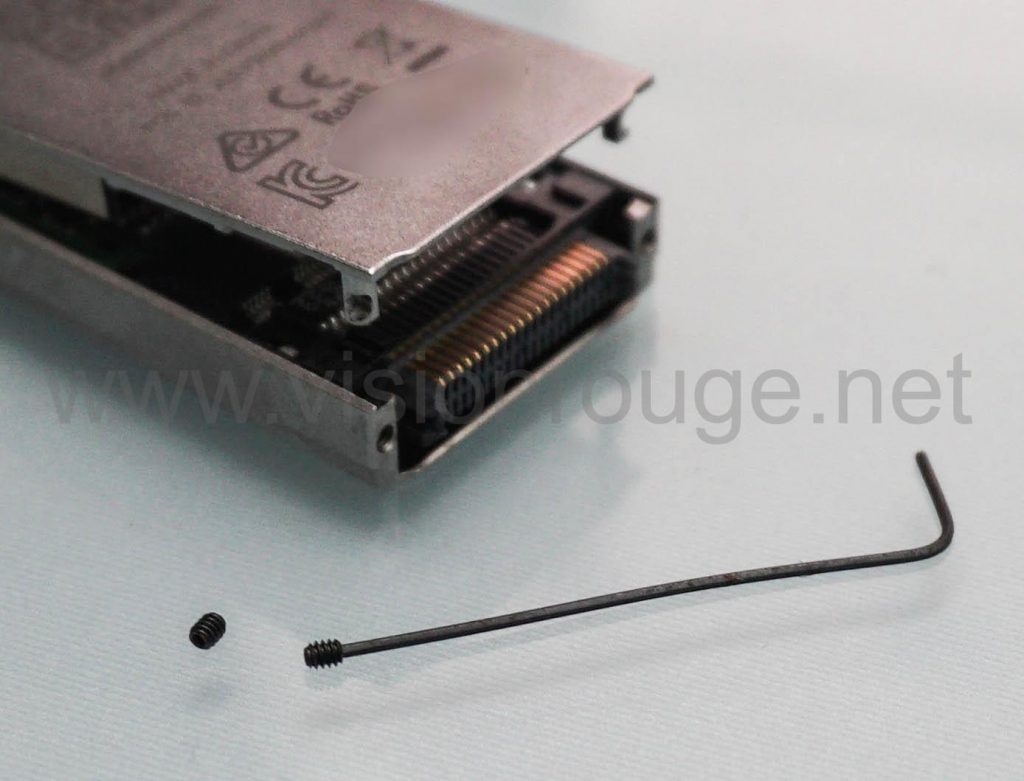
To my surprise; the connector is not soldered to the SSD, so you could think of just exchange the SSD and close back the enclosure. They are kept in place as a burger between layers of thermal past and a little tiny screw a bit hard to see if you don’t look very closely. I actually strongly suggest you to purchase this tools set if you like hacking some electronic device as this precision screwdrivers set contains everything you will ever need.
Here is the way it looks when you open it.
But the main idea is to save few buck as the price of a 960 M2 EVO is half the price of the DJI one .
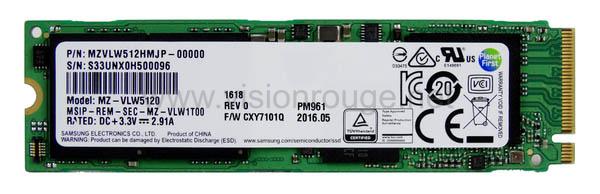
The exact EOM denomination is PM961 at Samsung and the potential 960 EVO retail counterpart.
The best is to be able to use the Cine SSD as a support for your cheaper SSD.
For example, you buy only one CineSSD, and switch SSD drive in between flight inside.
It will save you a lot of time as you don’t need the station anymore to read it, you just need a very cheap M key SSD reader to any standard you like (ref: Sata M SSD PCI-E M key NVMe M.2).
There is a USB 3.0 version NVMe M.3 SSD to plug this directly to your computer.
In order to test it, I bought 2 extension M.2 cable and it’s look like this.
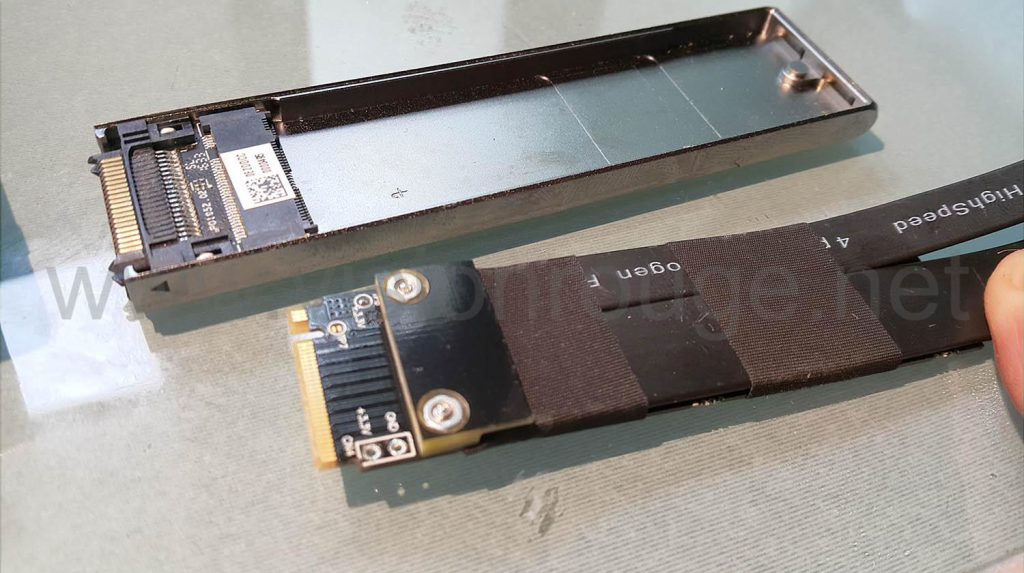
You just slide the old DJI memory into.
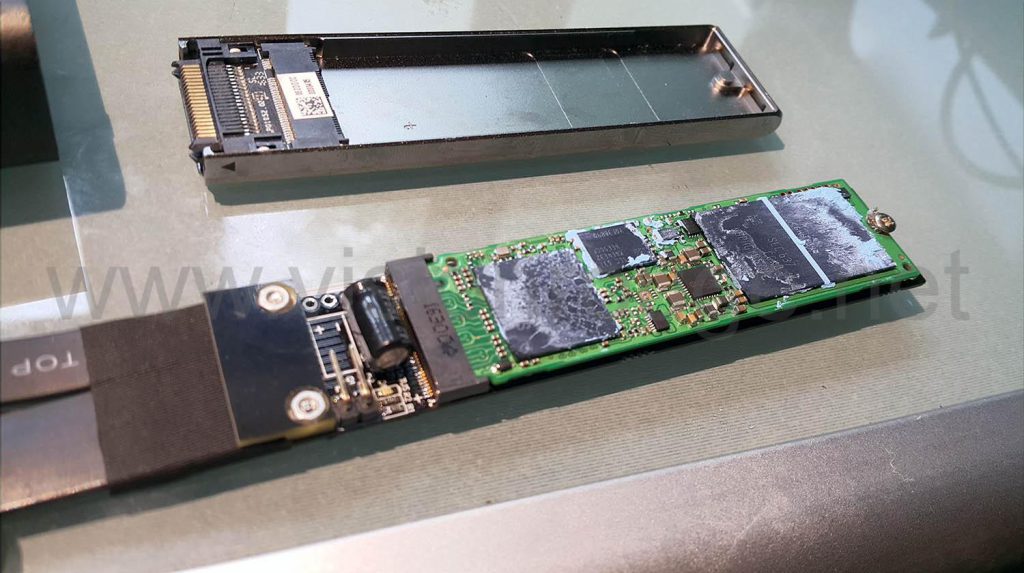
It fits perfectly and I can now start some extensive testing.
Of course, I’m checking if this is working well with the original drive on the DJI cineStation
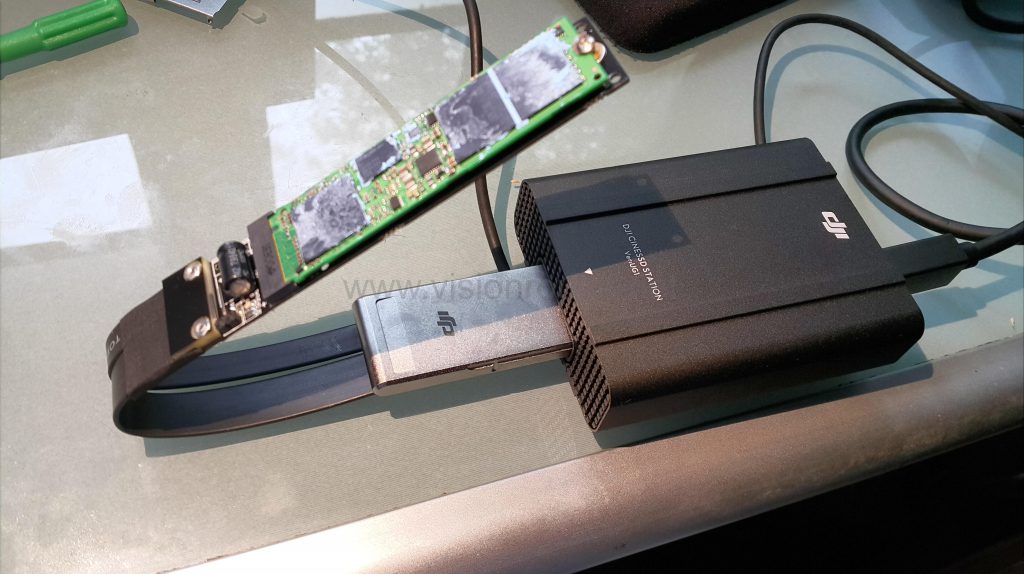
YES, Great, I can read my footage like this, no data drop, the drive is working fine.
Here is the setup on the Inspire side.
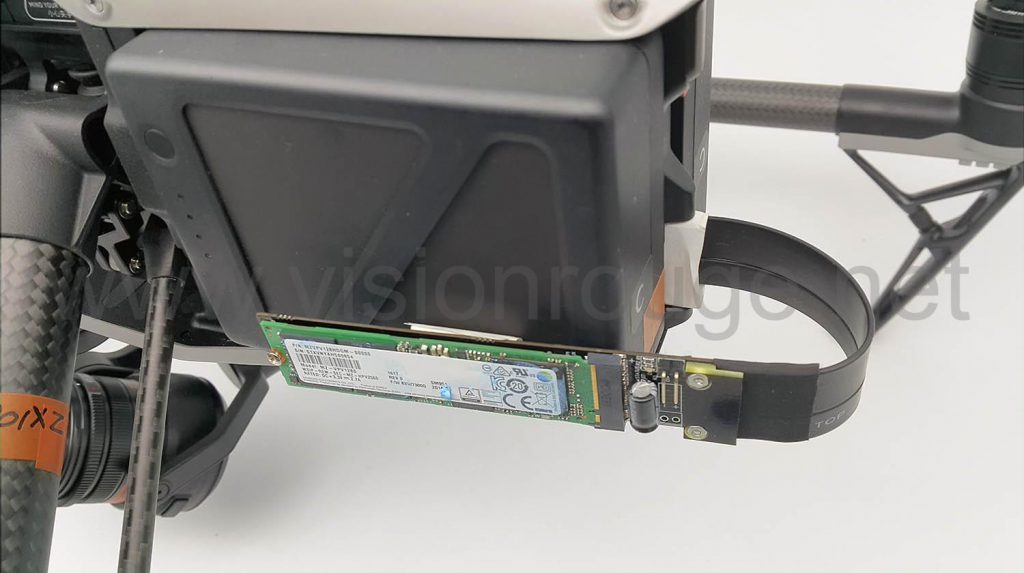
I just taped it for the picture purpose, no way it’s safe to fly like this.
and… YES, working too, every data rate I have choose working just fine. The extension cable do not bring data drop.
But, I’m using the original SSD from my CineSSD.. Switching to another drive is just showing some funny text after starting “SSD identification fail”, same thing if you try to format it…
Another person tested the upgrade from 240 GB to samsung NMVe SSD 960 EVO 500gb, but the same warning appeared too. He tried to swap the drive BEFORE putting it on the first initialization.
If you look closely to the board from DJI,
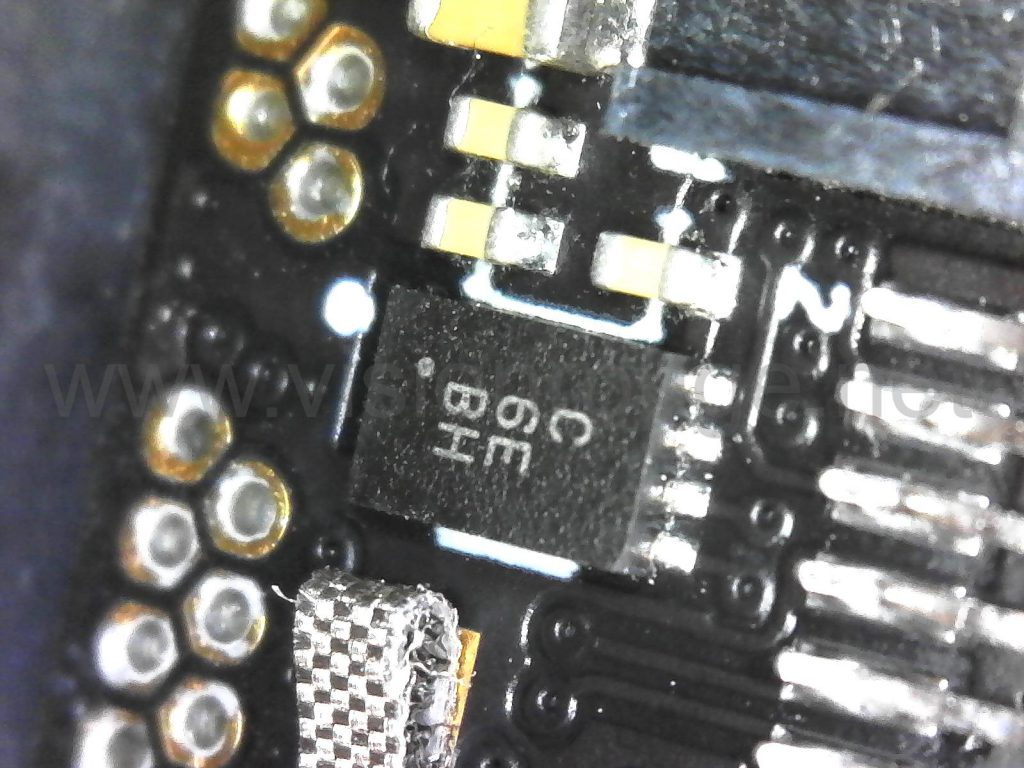
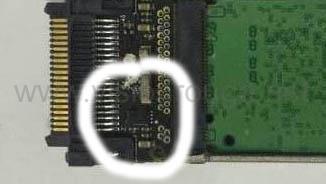 you will notice a small chip, it’s a Atmel At88SC3216.
So it may store the exact SSD serial number. Either on the first initialization or with copy of the SSD serial number. Maybe one way should be to read this one. It’s a cryptomemory, so I guess a bit hard to get all out.
I guess the next step will be to follow a software mod since it’s now hacked and few altitude mod have been used. Only few weeks before the original SSD check can be bypassed!
Also, this chip has been used before for other DJI product and there are another team looking for details about it. Please follow what they are doing with the NAZA M.
13 Comments
Post A Comment
You must be logged in to post a comment.
Jerrick Hakim
In trying to put another ssd inside the DJI enclosure. Trying formatting the drive to fat32. The drone does not regonize the ssd. Any suggestions for format the ssd?
www.VisionRouge.com China/HK
Jerrick,
There is a very small chip on the DJI connector, I guess it hold the SSD serial number in case people need to exchange it.
Nest step is to try to use another app for flying which do not “check” the drive at startup.
Jerrick Hakim
Thanks for the quick response. I’ll give that a shot. I’m also gunna try to clone the drive and see if that does anything! Appreciate this article btw:)
www.VisionRouge.com China/HK
I don’t think it will work or make sens. I saw that a brand new ssd is initialized at the first insertion in a Inspire or the reader. After that, the format is different than a fat32 or anything I saw before.
My understanding is the unique SSD serial number is copied at this time in the small chip and without a matching number on the checking sequence, the drive will be seen as “invalid”
I have tried a hot swap also, no more luck.
Either we can write another serial number to buy 120 gb ssd and upgrade one to 960gb, either we are able to bypass the check or give always a yes answer to this test and so swap drive on demand using the external setup showed on my post.
jason goldenberg
what is the chip that is recording the serial number. Im sure there is a way to reset this chip, electrically.
Freelance cameraman China/HK
I guess the key to get exchange SSD is this tiny chip.
Most of the time, you can’t reprogram them (there is a fuse inside) and they can only be written once. It use a serial communication protocol as I can’t see so many pin on it
My best guess it’s the first time you introduce a SSD inside a DJI product, the serial number is copied to the chip for life.
few answer to that to be checked:
– buy a 120 GB SSD, change the SSD to a bigger one, and introduce it to a DJI product (either the reader or the Inspire) and the serial number may be written at this time.
– buy a 120 gb drive, remove the chip and see if it can work without it.. (sometime programming error may allow this)
– exchange the memory without removing the chip, but use a third part sofware to fliy instead of DJI go, it may not check the chip.
– ….
jason goldenberg
do you have any ability to do these tests? I was thinking about doing the first test, getting 120gb ssd, and a 1tb samsung ssd and installing before introducing to bird. Do you know exact part number i should use?
Thanks
jason
Freelance cameraman China/HK
For now, I do not have these tests done, I’m waiting to get a bit more time on my own.
I’m also not sure about the exact SSD model on the large one, waiting to get one from someone else to open it. The picture on top from DJI suggest a EOM denomination: PM961 at samsung and the potential 960 EVO retail counterpart.
So I strongly suggest the EOM version, of course.
If the drive serial model is written at the first initialization, it can be a lot of model, if not, that will mean that the software have a list of pre approved drive and check it. Which will be very limitation for DJI (So they should add more model with firmware updates?)
Wait and see for now on my side
Freelance cameraman China/HK
here is the chip… https://uploads.disquscdn.com/images/af19881d2e181e2523fca488c9d2c549d93ad560ce6994d440a5515d9edcb359.jpg
jason goldenberg
What prevnts DJI from inserting a SSD at factory and setting the I’d chip? Why do you think new ssds are not set and recorded prior to shipment?
Freelance cameraman China/HK
Absolutely nothing.
It’s based on finding I don’t want to disclose here. Feel free to contact me directly for more.
jason goldenberg
i cannot figure out how to pm you.. can you send me and email at [email protected]
jason goldenberg
how can i contact you offline this discussion